A similar review has been submitted to B & H Photo and has been published through PowerReviews.com. The text reads below:
Review: The Pentax K-1 Full Frame Camera
I have been shooting Pentax K Mount cameras since 1983. First, film of course which I still occasionally shoot. And then beginning in 2010, Pentax Digital. I have used a whole line of Pentax Digital , from the K-x to the K-3, and now I am happy to say, the K-1. the first Full Frame digital camera from Pentax. About 3 years ago after purchasing a K-3, I commented to some fellow photographers that the only thing that would make the camera more perfect would be to make it as a full frame. Well today, I got my wish. Thank you Ricoh ! I have been learning about its features and shooting with it for about 2 weeks now. I anxiously awaited its arrival for over a year and I’m here to say, it was well worth the wait.
Description:
The full description can be had on the B & H website catalog, but just to touch briefly here, The camera has a full frame sensor (equivalent to a 35mm film frame) with 36 MegaPixels. Some of the most noteworthy features for the user is a built in WiFi component, a crop button for those using DA type lenses (which are of course fully compatible), a four way tilt out LCD panel on the back, a new “Smart Dial” button for controlling certain shooting features and the usual array of bells and whistles that one can expect on a DSLR. The K-1 is essentially, the K-3 grown up and out of high school, with one or two lingering zits. I’ll get to those later. There is of course the 4-way controller on the back, the 2 E-wheels and the usual mode switch.
One of the most impressive things about the Pentax K-1 is its compactness. It seems only slightly taller and wider than the K-3, although noticeably heavier, yet it seems quite compact compared to other full frame DSLR’s I have seen. I shot with a Canon D5 Mark III for a while and didn’t like its size at all. Perhaps the only full frame I have seen that is more compact is the mirror less Sony A7 series.
The WiFi Feature:
If you were to search B & H for DSLR’s with 36MP Full Frame Sensors equipped with WiFi, you find only a handful of cameras. If you qualify your search further to Under $ 2000, you find only one, the Pentax K-1. At first I thought the WiFi feature was gimmicky, But after experimenting with it, I can see a lot of use coming from it. In addition to transferring files to a Wifi device, such as a Smartphone or Tablet, the Ricoh Image Sync App (a free download in either Android or IOS) will turn your device into a very sophisticated wireless remote control that will do more than snap the shutter for you. It can actually set each of the exposure parameters you would set on the camera. In manual mode, you can set EV,ISO,SS, and Aperture. In Aperture mode you can set EV,ISO and Aperture, and of course the camera will set Shutter Speed. And so it goes with each programming mode. If you hit LV (live view) on either the camera or the APP, you device screen turns into and instant wireless tethering device. That could come in handy if shooting in a studio or giving a workshop. WiFi is clearly one of the best value features of this camera.
The Smart Dial:
Ricoh has added an extra set of buttons on the top of the camera for the user to access certain features. You can still use the menu button or the 4-way controller on the back. The Smart Dial gives you a hand way to turn on and use certain features. The WiFi mode is up there as is the Crop Mode, either can be activated by turning the Smart Dial to the clearly marked position and then turning the second button adjacent to the smart dial. Other features on the Smart Dial are ISO, Bracketing, Continuous Shooting, HDR, and one or two others.
Zits:
As I mentioned earlier, the K-1 is not perfect (to me). Like any teenager turned adult, it will have one or two zits:
- The first zit is I believe a design flaw. The K-3 had a switch on the back next to the screen on the right side that toggled between Stills and Movies. It could be easily access by a flick of the thumb. On Big Brother K-1, Ricoh has chosen to move this switch, to the top of the camera underneath the smart dial. Maybe it will take some getting used to, but for now, I don’t find the placement of the switch all that convenient
- The second zit seems to be a compatibility problem with the .PEF Raw file and Adobe Photoshop CS6. You cannot open the files in Adobe Raw. I tried downloading the Adobe Raw update and it didn’t work. I tried the DNG Converter that Adobe provides and it would not open the files. Finally, I had to install the Ricoh proprietary software from the included disk and use the editor to convert each .PEF file to .TIFF. This is a serious flaw somewhere that needs immediate attention. I don’t know if the problem is with Adobe or Ricoh, but until it’s fixed I strongly urge photographers who shoot in RAW to use .DNG file structure. Actually, even after it’s fixed, .DNG is more preferable as it is more universally accepted. .
Summary:
Ricoh has given Pentax users for the first time what they’ve always wanted. A fist class value camera with a full frame sensor. I think it will suit very nicely for professional photographers and serious amateurs alike. My own plans are to perhaps buy a second one in the near future to convert to Infrared use, a favorite shooting method of mine. I whole heartedly recommend this camera to anybody serious about photography. They may have to wait, though as it is Back Ordered through July according to the B & H website. I have seen the camera on EBay being sold at a big markup. Caveat Emptor. !
I maintain a blog of my shooting called “Through the Eyes of My Pentax” at:
www.dominickmgrossophotographyblog.com
where you can view my photography with this camera and other Pentax cameras, along with related YouTube videos. I hope you visit and follow my blog.


 N
N
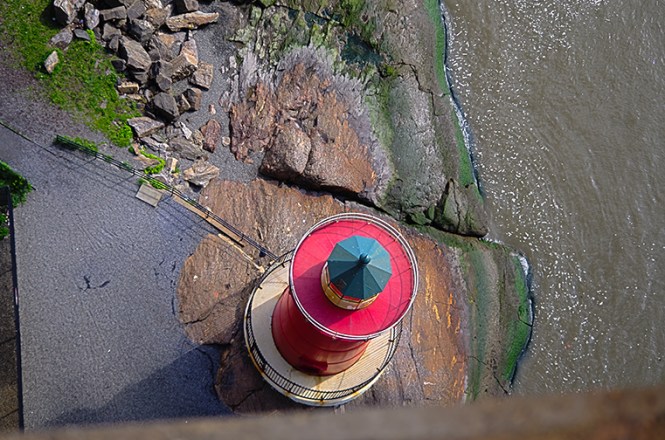



 From the Eye of My Pentax